Sign-in - Register - Contact

Say it with colors!

Today is Valentine's Day! To say "I love you" to all your loved ones, say it with colors and one of the many original coloring pages we offer for Valentine's Day, or create a heart shaped frame for your favorite picture.

Free SVG files for Cricut and SCAL

While reading ScrapBooking forums and blogs, I came accross the Cricut paper cutting machine. It seems that the Cricut can cut shapes from SVG files, that can be loaded to the Cricut, with a software called Sure Cuts A Lot (or SCAL for short). All of the coloring pages on ScrapColoring are actually drawn in SVG, using Inkscape. I was wondering if they would be suitable for cutting with a Cricut. Or if I could easily change them to make them usable on a Cricut.
→ plus
→ Color the picture Free SVG files for Cricut and SCAL

Turn your drawings and pictures into online coloring pages!

There is an amazing new feature on ScrapColoring: you can now send your images (drawings or photos) to turn them automagically into coloring pages. You can then color them online with all the colorful gradients and patterns of ScrapColoring. It is simply awesome!

How to turn your pictures into coloring pages :
  • Click on the link Color your photos and drawings (in the ScrapColoring menu bar).
  • Click on Browse to select an image file on your computer (most image formats like gif, jpeg, png etc. are supported).
  • Choose the type of your image: black and white drawing for all the images that have a single color, like scanned black and white drawings, coloring pages you found on the Web etc.; or colored drawing or photograph.
  • Submit.
  • Wait a few seconds.
  • And there is your personalized online coloring!
  • You can even share your online coloring page by sending its url to your friends, by e-mail, Twitter, Facebook, on your site or blog etc.
You will obtain the best results with drawings that have sharp continuous strokes (without holes in the shape), well contrasted (black on white for instance). Colored drawings (with flat colors) and posters also give good results. For photos, the results can sometimes be surprising, but they are always initeresting! It is best to use well contrasted photos, with well delimited zones. Photos with too many details are more difficult to convert to coloring pages.

So it's your turn to try with your drawings and photos! If you would like to share your results, don't hesitate to publish them in a comment on this post, to showcase your most beautiful, and/or most surprising creations!

Example with a drawing:

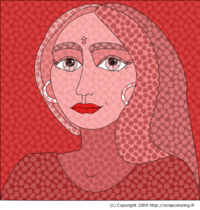
Original drawing (by Pixo, licence Creative Commons Attribution 2.5 Canada) and drawing converted to coloring page:


Example with a photograph:

Original photo and photo converted to a coloring page:


Your turn! Try it and show us your artwork!

Friends of ScrapColoring

Do you enjoy the site ScrapColoring? We need you to improve it and make it known!

→ plus
→ Color the picture Friends of ScrapColoring

ScrapColoring launches!

ScrapColoring launches!
Here it is! After countless sleepless nights of coding, drawing, experimenting and testing, we are launching today the online coloring site ScrapColoring (tm). It is the only site we know about that offers...→ plus
→ Color the picture ScrapColoring launches!

About

ScrapColoring is an online coloring site with an innovative concept. Forget about printable coloring pages: ScrapColoring's colorful and customizable patterns give a very rich variety of choices for kids to develop their artistitic sense, and provide them with hours of fun and creativity.

-> More:

Please note that for a better online coloring experience, we recommend the free and open browser Firefox (available on Windows, Mac, Linux etc.).

->